How to Keep Your Restaurant Brand Consistent When You Scale From 2 to 6 Locations
Quick summary: Growing from two restaurants to six multiplies packaging complexity fast — each store that buys its own bowls, tubs, and paper bags quietly creates a different version of your brand.
2026-09-07 - 10 min read
Quick summary: Growing from two restaurants to six multiplies packaging complexity fast — each store that buys its own bowls, tubs, and paper bags quietly creates a different version of your brand. This guide shows how to consolidate everything into one unified packaging SKU list, one master set of artwork files, and simple safety-stock and reorder rules, so every location hands customers the same experience while you grow.
Expanding from 2 to 6 locations sounds like a straightforward win: more revenue, more visibility, more word of mouth. What most operators discover around location three or four is that the packaging program quietly fractures first. One store orders 32oz bowls from a cash-and-carry, another buys kraft bags from a different vendor, and a third runs a mismatched lid from an old shipment. On their own, none of these decisions look expensive. Together, they hand your customers six slightly different versions of your brand.
The good news: you don't need an enterprise packaging department to fix this. You need one approved SKU list, one artwork master library, and reorder rules simple enough that a busy manager can follow them. Here's how to build all three before the new stores open.
What Packaging Inconsistency Actually Costs a Growing Restaurant Group
Brand inconsistency in food service is usually treated as a cosmetic problem. It isn't — it hits operations and margins directly.
Picture a regular who loved your poke bowl walking into your third location. Her order arrives in a different bowl, with a lid that doesn't seal the same way, in a bag printed with a logo variant she's never seen. Nothing about the food changed, but the experience did. For delivery and takeout-heavy operations, the packaging is the brand moment — most customers see the container before they see the food.
The operational costs compound just as fast:
- Stockouts and emergency buys. When each location sources independently, one store runs out of soup tubs on a Friday and pays retail for a substitute that doesn't match. Six locations doing this monthly is real money.
- Dead inventory. Store A overstocks a lid that doesn't fit Store B's bowls. You now own stock nobody can use.
- Diluted buying power. Six small orders across different vendors earn none of the volume pricing one consolidated order earns.
- Wasted artwork spend. Three stores re-printing slightly different bag designs means you paid three setup fees for what should have been one.
Every one of these problems gets more expensive as you add locations, which is exactly why the fix belongs before the expansion, not after.
Why Scaling From 2 to 6 Locations Creates Different Packaging Problems Than You Expect
Two locations are easy to manage with a group chat and a shared spreadsheet. Six break that system in predictable ways:
More packaging variations than you planned. A menu that needs a 750ml bowl at one location may need a 1500ml bowl at another because the portions or the delivery mix differ. Multiply that across bowls, compartment trays, soup tubs, cup carriers, sauce cups, and bags, and your "simple" packaging list quietly doubles.
Artwork drift. When each store commissions its own stickers or printed bags, logo placement, colors, and type start drifting immediately. The printer at one shop uses your old logo file; another recreates it from a photo of a menu. Six months later, three of your six locations are handing out packaging that no longer matches your signage or your website.
No single source of truth for files. The "correct" logo file lives in the founder's email, a designer's folder, and someone's desktop in three versions. New store managers can't find current files, so they improvise — usually with whatever is easiest.
Communication bottlenecks. Every new store adds a general manager, a kitchen lead, and a bookkeeper to the ordering conversation. Without clear ownership, ordering decisions default to whoever has a supplier's phone number.
Uneven stock visibility. You can't set sensible safety stock when nobody can see, in one place, what all locations hold. One store hoards; the next one runs dry.
These are the exact failure points a unified system is designed to close.
Step 1: Build One Approved Packaging SKU List for All Locations
Start by auditing what every location — including the two existing ones — is buying today. Lay it out side by side: product, size, material, lid pairing, current supplier, and approximate monthly usage. Most groups doing this for the first time find 20–40% duplication: same function, different product.
Then consolidate into a single approved list. For each functional need, choose one product:
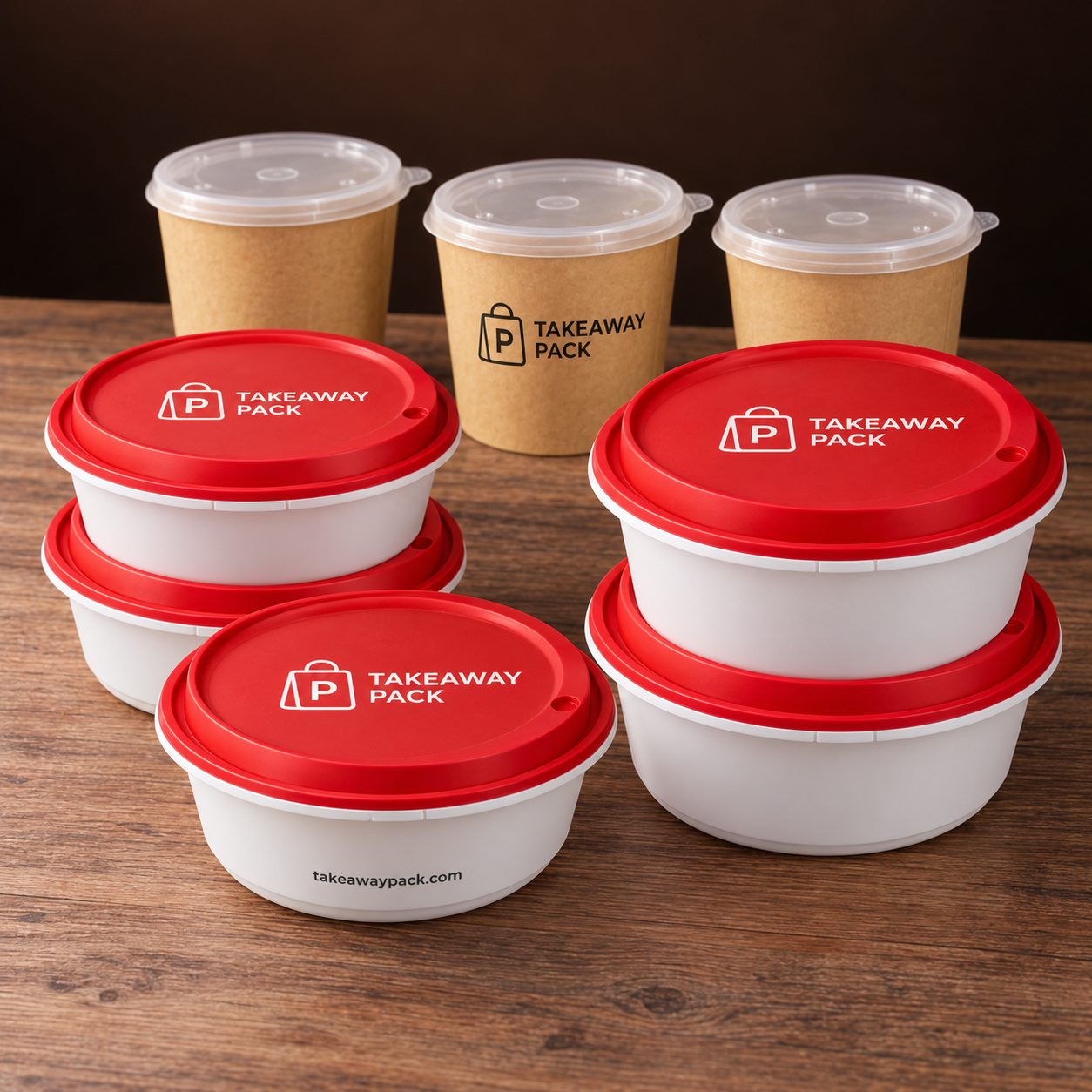
- One line of lock-lid PP bowls covering your portion range (for example, a 750ml, a 1000–1200ml, and a 1500–2000ml size)
- One kraft soup tub series with matched PP lids
- One compartment tray for combo and multi-item meals
- One tamper-evident bowl for delivery-heavy items
- One single and one double cup carrier
- One sauce cup size (plus maybe a second for large-format orders)
- One paper bag line — with one printed version across all stores
Two rules make the list work at six locations:
One SKU per job. If two products do the same job, pick the better one and retire the other. Exceptions need a real reason (oven-safe vs. cold applications, for instance), not a manager's preference.
Compatibility is part of the spec. A bowl without its matching lid is half a product. Record lid pairings, case counts, and material for every SKU so any location can order correctly without asking questions.
A supplier with a broad catalog helps enormously here — a partner like takeawaypack.com carries 950+ packaging SKUs across bowls, tubs, trays, carriers, bags, and printed items, so you can consolidate most of the list with one vendor relationship instead of five. Aim for an approved list of roughly 15–25 SKUs. Long enough to run the menu, short enough to manage.
Step 2: Create a Single Master Set of Artwork Files
Once the physical products are unified, unify what's printed on them. Custom printing — which suppliers like takeawaypack.com offer with minimums as low as 500–1000 units — only pays off if every location draws from the same artwork source.
Build a master artwork library, one folder (or drive) that holds:
- Final vector logo files (and only final ones — archive everything else out of reach)
- Approved color values (specify CMYK/RGB values and Pantone references if you use them)
- Approved fonts and type sizes for menu item names, taglines, and social handles
- One production-ready artwork file per printed SKU: paper bag, sticker, seal, cup, or printed bowl
- A one-page "do not change" sheet: minimum clear space around the logo, where the handle/contact line goes, what may never be edited by a store
Then enforce one rule: no location may send artwork to any printer. All printing flows through the head office (or one named owner), using the master library. This single rule eliminates most artwork drift at growing groups.
Version control can be as simple as a naming convention — paperbag-12x8-v3-final.ai plus a changelog line in a spreadsheet noting what changed and when. The mechanism doesn't matter; the discipline does. When the supplier needs files, everyone references the same source, and outdated versions stop circulating through six stores' email threads.
Since printed items are produced per design, consolidating print runs also means six locations can share one production run of printed bags or stickers — hitting custom-print minimums comfortably instead of each store ordering separately.
Step 3: Set Safety Stock and Reorder Rules That Work Without You
The third pillar is stopping the stockout-to-emergency-buy cycle. The math is simpler than most operators expect.
Calculate usage per location. Pull 8–12 weeks of usage per SKU per store (orders served or cases consumed — either works if it's consistent). Average it into a weekly burn rate per SKU per location.
Set safety stock as weeks of cover. A practical starting formula:
Safety stock = weekly usage × (supplier lead time in weeks + 1)
If a store uses 2 cases of 1000ml bowls weekly and lead time is 2 weeks, safety stock is 6 cases. Slow movers can carry less; delivery-critical SKUs (tamper-evident bowls, printed bags) deserve a extra cushion because a stockout there is a visible brand failure, not just an internal one.
Set a reorder point.
Reorder point = safety stock + (weekly usage × lead time in weeks)
When on-hand inventory hits the reorder point, reorder — automatically if possible. Because every location uses identical SKUs, the numbers you build for the first two stores transfer to the next four with only volume adjustments.
Consolidate ordering cadence. A weekly group order works well for a six-location group: each store confirms counts against par levels by a set day, orders are combined, and one consolidated shipment (or one drop per store) goes out. Consolidation is what unlocks volume pricing and makes custom-print minimums easy to clear.
Track it in one place. A shared spreadsheet with SKU, on-hand count, safety stock, reorder point, and last-order date per location is enough at this scale. The point is not the tool — it's that you, the owner, can see the whole system on one screen and spot the store that's about to run dry before it does.
One refinement worth adding as you grow: track waste alongside usage. If a location burns through bags twice as fast as its peers, that's usually a portioning or training issue, not a packaging one — but you'll only see it if the numbers live side by side.
Step 4: Add the Brand Guardrails That Keep It All Consistent
Process holds the system together as stores multiply:
Name one packaging owner. One person — owner, operations manager, or a trusted GM — owns the approved SKU list, the artwork library, and the reorder calendar. Store managers execute; they don't redesign.
Audit quarterly. Every quarter, spot-check each location: what's on the shelf, what's printed on it, and whether counts match the sheet. Small drift caught at 4 locations is cheap; the same drift at 12 is a rebranding project.
Lock new-item decisions to the group. Any new menu item means a packaging decision — and it goes through the same three steps: does an existing SKU do the job? If not, which single new SKU gets added to the approved list for everyone?
Onboard new stores with the system, not around it. Every new location opens with the approved SKU list, current artwork files, and par levels already set. The system should be the default from day one, not a habit retrofitted later.
Conclusion
Scaling from 2 to 6 locations is when packaging either becomes a system or becomes chaos. The difference comes down to three artifacts: one approved SKU list everyone orders from, one master artwork library everyone prints from, and reorder rules that trigger before shelves empty — plus one owner who keeps them current.
None of this requires enterprise software or a supply-chain team. It requires deciding, once, that your brand's takeout experience will be identical at every location, and putting simple structure around that decision. When you're ready to consolidate, review custom printing options, or build your unified SKU list with help, talk to a supplier that works with multi-location restaurant groups every day — visit takeawaypack.com or reach out at takeawaypack.com/contact to get your packaging program ready for all six stores.
Frequently Asked Questions
How many packaging SKUs does a six-location restaurant group actually need?
Most groups land between 15 and 25 SKUs: a small family of lock-lid bowls spanning portion sizes, one soup tub line with matched lids, a compartment tray, tamper-evident containers for delivery, cup carriers, one or two sauce cup sizes, and one printed bag line. If your list is much longer than that, you likely have duplicate products doing the same job at different stores.
How do I keep custom-printed packaging consistent across all locations?
Maintain one master artwork library — final logo files, approved colors, fonts, and one production file per printed item — and route all printing through a single owner. No individual location should ever send artwork directly to a printer. Custom print minimums of 500–1000 units are easy to clear when six locations share one production run instead of ordering separately.
What's the right safety stock level for restaurant packaging?
A practical starting point is weekly usage multiplied by your supplier's lead time in weeks, plus one extra week of buffer. Delivery-critical items like tamper-evident bowls and printed bags deserve a larger cushion, since running out of those is a visible brand failure rather than an internal inconvenience.
Should each location place its own orders?
Each location should report its counts, but orders should be consolidated at the group level — weekly works well for most six-location groups. Consolidation is what converts six small orders into one order with real volume pricing, and it keeps the approved SKU list from quietly fraying.