Your Takeout Packaging Is a Marketing Funnel: Using QR Codes to Turn One-Time Orders Into Repeat Customers
Every takeout bag and sealed container you hand to a customer is a piece of prime attention. Smart restaurant owners are adding QR codes to custom paper bags, bowl seals, and box closures to convert delivery customers into loyal regulars.
2026-09-07 - 11 min read
Summary: Every takeout bag and sealed container you hand to a customer is a piece of prime attention. Smart restaurant owners are adding QR codes to custom paper bags, bowl seals, and box closures to convert delivery customers into loyal regulars. This guide shows you exactly what to link to, how to design for scan-through, and why it won't slow down your packing line. Whether you're a food truck, ghost kitchen, or full-service restaurant, your packaging can do the selling long after the driver leaves.
Why Your Takeout Packaging Deserves a Second Look
If you're running a busy restaurant, food truck, or cafe, you probably think about packaging in terms of cost and durability. Will the lid stay on? Will the bag hold? Does the container leak?
Those are the right questions — but they're only half the picture. Every time you hand a customer a branded paper bag or a sealed bowl, you're placing your brand directly into their hands at the exact moment they're most engaged. They're hungry, they're excited, and they're about to interact with your food.
That moment is marketing gold.
In the US, roughly 89 million smartphone users scanned a QR code at least once in 2022, and industry estimates put that figure near 100 million by 2025. Customers already know how to scan — they just need a reason to do it. Your packaging provides that reason, and it costs almost nothing to add.
The takeout box or bag you're already buying from a supplier like takeawaypack.com can double as a digital funnel. The key is knowing what to put behind that QR code and how to design it so your team can still pack orders at speed.
The Real Problem: Delivery Platforms Own Your Customers
If you're like most restaurant owners, a big chunk of your orders comes through third-party delivery platforms. Uber Eats, DoorDash, Grubhub — they bring volume, but they also keep the customer data. You get the order, you get paid, but you never see the diner's email, phone number, or preference history.
That makes it nearly impossible to build a loyal customer base from delivery orders. When someone orders through a platform, you're renting the relationship. You don't own it.
A QR code on your custom packaging is the simplest way to reclaim that connection. It's a direct line from your physical product to your digital ecosystem — no platform middleman. Every scan is a first-party data point that belongs to you.
How to Turn Your Packaging Into a Funnel
1. Design the QR Code Into the Package, Not Onto It
The biggest concern restaurant operators raise is speed. "If I have to add a sticker or fumble with a QR code placement, it'll slow down my line."
The answer is simple: design the QR code into the package itself. Work with a packaging supplier that offers custom printing with low MOQs — many, like takeawaypack.com, offer custom-print runs starting at 500 to 1,000 units. Have the QR code printed directly onto your paper bags, your bowl lids, or your box closures. No extra step. No sticker application. The packer just bags the order as usual.
Placement matters. Put the code on the side of the bag or the top of the lid — somewhere the customer will see it when they open the delivery. Add a short, friendly prompt like "Scan for a surprise" or "Tap to unlock your reward." Keep the design clean and on-brand.
2. Decide What Your QR Code Links To
This is where most restaurant owners get stuck. You can link to anything — a loyalty sign-up, a menu add-on suggestion, a feedback form, a catering page, or a simple reorder link. Which one works best?
The answer depends on what you want to achieve, but the most effective strategy is a tiered approach:
- First-time scan: Link to a loyalty sign-up or email capture page with a small incentive — a free drink on the next order or a discount code. This is about data ownership.
- Return scan: Link to a "reorder favorites" page or a menu with add-on suggestions. The customer is already familiar with you; now you upsell.
- Ongoing engagement: Link to a customer feedback form, a referral program, or a catering menu. By this point, you've built trust.
The smartest approach is to use a dynamic QR code. Unlike a static code that locks you into one URL forever, a dynamic code lets you change the destination without reprinting a single bag. Run a summer promotion in June, switch to a holiday catering menu in December, and update to a new loyalty program in March — all from the same code printed on your existing stock.
3. Always Lead With Value
Nobody scans a QR code out of curiosity. They scan because they expect something worthwhile on the other side. Make sure your landing page loads fast, works on mobile, and delivers immediate value.
Good options for restaurant packaging QR codes:
- A discount code for the next order
- A free item on the next visit (e.g., "Scan for a free side")
- Access to a secret menu item or limited-time special
- A loyalty program sign-up that immediately shows progress toward a reward
- A quick feedback survey that enters the customer into a monthly drawing
The moment of scanning is the moment of peak attention. Don't waste it on a generic homepage link. Give them a reason to keep coming back.
Dynamic QR Codes: Why They Matter for Restaurants
You've probably used QR codes before — on a menu, a flyer, or a table tent. Those were likely static codes, which means they point to one URL, forever. If you change your promotion or update your loyalty program, old codes become dead links.
Dynamic QR codes solve this. They point to a short redirect URL that you control. You can change the destination anytime, track scan data, and run A/B tests on different offers — all without reprinting a single bag or sticker.
For a restaurant that runs seasonal specials, holiday catering pushes, or rotating loyalty offers, dynamic codes are a no-brainer. Print once, change the message as often as you like.
What to Link To: A Decision Framework
Still unsure which link to use? Here's a simple framework based on your business goals:
- If your biggest problem is repeat rate: Link to a loyalty program sign-up with an instant reward. Build the habit of scanning into the habit of reordering.
- If your biggest problem is basket size: Link to a "complete your meal" page with add-on suggestions — a side, a dessert, an extra drink. Use the scan to upsell.
- If your biggest problem is feedback: Link to a one-question survey ("How was your meal?") with a sweepstakes entry as the incentive. Fix issues before they become reviews.
- If your biggest problem is catering or group orders: Link to a catering menu page. Customers who love your food are your best catering leads.
You can also rotate these across different package types. Put the loyalty link on bag seals and the catering link on large boxes. Segment by package size and let the data tell you what works.
Design That Drives the Scan
A QR code on a bag won't help if nobody notices it. Design matters.
Use contrast. A black QR code on a kraft brown bag is readable but not noticeable. Add a white background box, a colored border, or a small arrow pointing to it. Some suppliers can print full-color codes that match your brand palette — talk to your packaging provider about custom-print options.
Keep the prompt short. "Scan me" is enough. "Unlock a reward" is better. "Free side with scan" is best.
And test the print quality. A code that's too small or printed on a textured surface may not scan reliably. Most custom packaging suppliers can run a sample batch before you commit to a full run.
Which Packaging Surfaces Actually Work Best
Not every part of a takeout order is a good home for a QR code. Some surfaces get crumpled, some get grease on them, and some never face the customer. Here's how the common options stack up.
Seal stickers and tamper-evident labels. These are arguably the best surface available. The customer has to look at the seal to break it, which guarantees eye contact. Seals are cheap to print, easy to customize, and they already do double duty as a food-safety signal. If you use tamper-evident bowls or apply a seal across a clamshell, that label is your highest-attention real estate.
Custom-printed paper bags. The bag is the first thing a customer touches and often the last thing they throw away. A code printed on the side panel — not the bottom, not under the handle fold — gets seen while the customer unpacks. Paper bags also survive the trip better than you'd expect, and custom-print bag runs are one of the most affordable places to start.
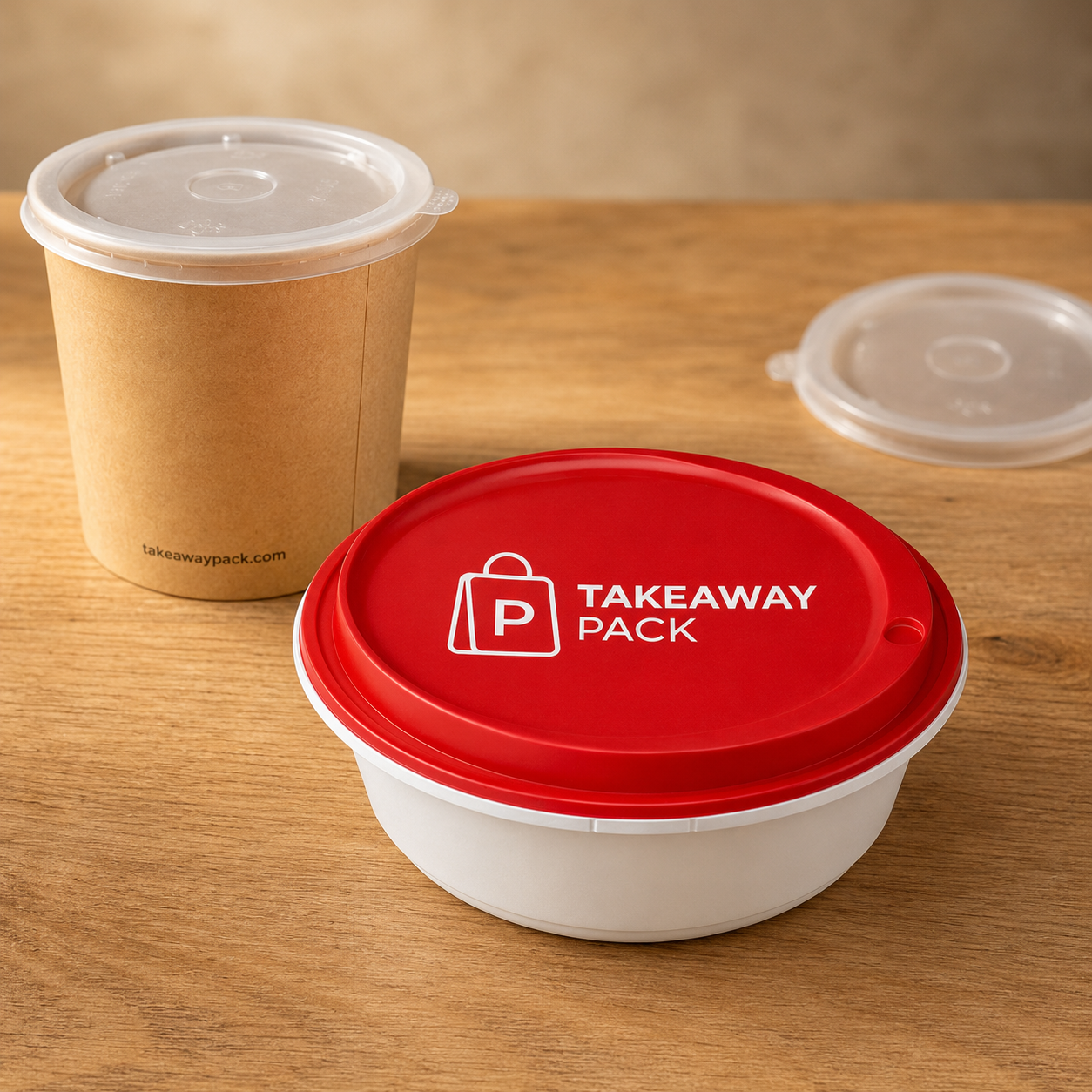
Lids on bowls and soup tubs. A PP lid on a kraft soup tub or a lock-lid bowl faces upward in the bag, so the customer sees it the moment they open the delivery. The tradeoff is print area: lids are small and often curved, so keep the code simple and test the scan before committing to volume.
Cup carriers. For cafes and drink-heavy operations, single and double cup carriers are underused. The carrier is held in two hands during the walk back to a desk or car — that's a captive moment. Carriers also have large, flat, uncoated print areas that scan well.
Box lids on pizza, cake, and window boxes. Big, flat, and impossible to miss. Great for catering and group-order promotions where the person opening the box is often not the person who placed the order — which makes it a natural referral surface.
Where not to put it. Skip the bottom of containers, the inside of lids, the underside of bags, and anywhere that regularly contacts food or grease. A code that's unreadable is worse than no code, because it trains customers not to bother.
If you're not sure which surface fits your menu, a supplier that carries a broad catalog across bags, bowls, tubs, trays, boxes, carriers, and seals can print a small trial across two or three formats at once and let real scan data settle the question.
What "Good" Looks Like After 90 Days
Set expectations before you print. QR codes on packaging are not a switch you flip; they're a channel you build.
A realistic first goal is scan rate — the percentage of orders that produce at least one scan. Track it weekly. If your scan rate is flat near zero after a month, the problem is almost always one of three things: the code is in a place customers don't see, the prompt doesn't promise anything specific, or the reward isn't worth the fifteen seconds it takes to claim.
The second metric is capture rate — of the people who scan, how many actually hand over an email or phone number. This is where landing-page quality shows up. A form with five fields will lose most of your scanners. Ask for one thing.
The third and slowest metric is repeat rate among captured customers versus everyone else. This takes a couple of months to become meaningful, but it's the number that justifies the whole program. Once you can say "customers on our list order more often than customers who aren't," you have a business case for printing codes on every SKU you order.
Treat the first print run as a test, not a commitment. That's the practical argument for working with a supplier that offers low minimums — you can validate the idea on 500 to 1,000 units before you tie up cash in a year of inventory.
Key Takeaways for Your Restaurant
- Your takeout packaging is the most underused marketing asset you own
- A QR code printed directly on the packaging costs nothing to apply and adds zero seconds to packing time
- Dynamic QR codes let you change the offer without reprinting stock
- Lead with value — a discount, a free item, or exclusive access — to drive the scan
- The goal is first-party data: email addresses, phone numbers, and order preferences you own
- Test different links on different package sizes and track what works
- A supplier with low MOQ and custom printing, like takeawaypack.com, makes it affordable to start small and scale
FAQs: QR Codes on Restaurant Takeout Packaging
1. Will adding a QR code slow down my packing line?
No. If the QR code is printed directly onto the bag or container during manufacturing, your staff packs the order exactly as they do today. No extra step, no sticker, no slowdown.
2. What should I link to — a loyalty program or a feedback form?
It depends on your goal. For repeat rate, use a loyalty sign-up with an instant reward. For basket size, use an add-on upsell page. You can also use dynamic QR codes to rotate offers and test.
3. How small can I print the QR code and still have it scan reliably?
Industry best practice is a minimum of 2 cm x 2 cm (about 0.8 inches). Test a sample batch before printing at scale. Your packaging supplier can advise on the right size for your specific material.
4. Do I need a new bag design for every promotion?
Not if you use dynamic QR codes. The printed code stays the same; you change the destination URL in your QR management dashboard. One print run, unlimited promotions.
5. Can I add QR codes to different types of packaging?
Yes. Paper bags, bowl lids, box closures, cup carriers, seal stickers — any flat surface that customers see when they open the delivery. Your supplier can print codes on multiple product types in the same order.
Make Your Packaging Work for You, Even After the Order Is Delivered
Your takeout packaging already does a great job of getting food from your kitchen to your customer. But it can do more. Every bag, every bowl, every box that leaves your restaurant is a chance to start a relationship — not just finish a transaction.
The technology is simple. The cost is negligible. The only thing standing between you and a packaging funnel is a decision to start.
Talk to a packaging supplier that offers custom printing with low minimums, like takeawaypack.com, and ask about adding QR codes to your next bag or container order. Start with one product line — your best-selling bowl or your most-used bag size — and build from there. Your customers are already scanning. Give them something worth scanning for.